Best MacBook Accessories for 2026: Top Hubs, Chargers & Gear
Team GimmieThe Best MacBook Accessories for 2026: A Guide to Gear That Actually Matters
You just unboxed it. That unmistakable scent of factory-fresh aluminum and glass—the 2026 MacBook Pro or Air is a masterpiece of engineering. But as soon as you try to plug in your favorite external drive or realize your desk setup looks like a spaghetti factory of white cables, the honeymoon phase hits a snag.
The accessory market is a minefield. For every genuinely useful tool, there are ten cheap plastic dongles destined for a junk drawer. Whether you are looking to optimize your own workflow or searching for a gift that won't be returned, you need to cut through the noise. This year, the focus has shifted toward Thunderbolt 5 speeds, MagSafe 3 versatility, and highly efficient GaN power.
Here is the good news: you don't need everything. You just need the right things.
QUICK PICKS FOR HIGH-INTENT SHOPPERS
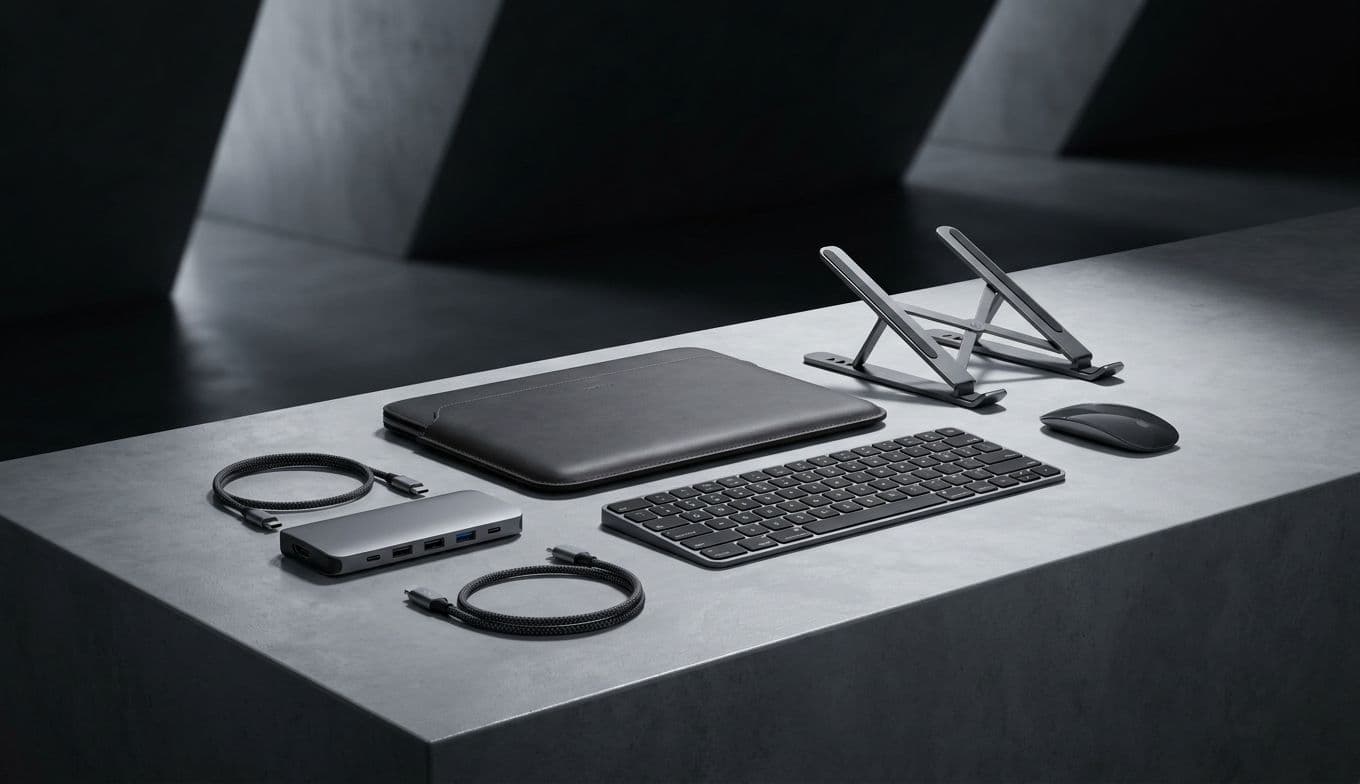
The Essential Charger: Anker Prime 67W GaN Wall Charger The Connectivity King: Satechi USB4 Multiport Adapter with 8K HDMI The Typing Specialist: Logitech MX Keys S for Mac The Desktop Powerhouse: CalDigit TS4 Thunderbolt Dock The Daily Guard: Bellroy Laptop Sleeve
Essential Power-Ups: Beyond the Default Brick
While Apple’s included chargers have improved, they are still bulky, single-port bricks. In 2026, the gold standard is Gallium Nitride (GaN) technology. These chargers are roughly half the size of Apple’s equivalents but pack enough punch to charge a MacBook, an iPhone, and an Apple Watch simultaneously.
Budget Option: Anker 735 Charger (GaNPrime 65W). It is tiny, foldable, and has three ports. It is the perfect replacement for the stock charger that lives permanently in a travel bag. Splurge Option: Anker Prime 100W GaN Wall Charger. If you are running a 16-inch MacBook Pro under heavy load, you need the extra overhead. This brick can fast-charge the laptop while still providing juice to high-drain peripherals.
Gifter’s Perspective: Why this is a great gift Most MacBook users do not realize how much they hate carrying their one and only charger from the bedroom to the office until they have a second one. It is a "quality of life" gift that provides daily utility and eliminates the anxiety of a dead battery.

The Connectivity Hub: Taming the Port Problem
We are firmly in the era of USB-C and Thunderbolt 5. While the newest MacBooks have brought back the SD card slot and HDMI port on certain models, most users still find themselves short on ports for legacy USB-A drives, wired ethernet, or dual-monitor setups.
Budget Option: Satechi USB-C On-the-Go Multiport Adapter. This is the Swiss Army knife of hubs. It includes every port a student or remote worker needs—USB-A, HDMI, VGA (for those stubborn office projectors), and even a micro/SD card reader. Splurge Option: Satechi USB4 Multiport Adapter with 8K HDMI. For the power user, this hub utilizes the newest USB4 protocols to ensure data transfer speeds don’t bottleneck your workflow. It supports a stunning 8K/60Hz output for high-end displays, which is essential for video editors.
Gifter’s Perspective: Why this is a great gift Connectivity is the most common point of frustration for Mac users. Giving a high-quality hub from a brand like Satechi shows you understand their technical needs. It is the gift of "it just works," removing the need for a chain of unreliable dongles.
Precision Input: Elevating the Desktop Experience
The MacBook trackpad is the best in the world, and the Magic Keyboard is solid. However, if you are spending eight hours a day at a desk, your ergonomics deserve an upgrade.
Budget Option: Logitech Pebble 2 Combo. For the student or the coffee-shop hopper, this slim, quiet mouse and keyboard set fits easily into a backpack. It is colorful, tactile, and much more comfortable than using the laptop’s built-in deck for long essays. Splurge Option: Logitech MX Master 3S for Mac and MX Keys S. This is the industry standard for a reason. The mouse features an electromagnetic scroll wheel that can fly through 1,000 lines of code in a second, while the keyboard offers a heavy, premium feel with smart backlighting that illuminates as your hands approach.
Gifter’s Perspective: Why this is a great gift This is a "sensory" gift. The tactile click of a premium mouse or the smooth travel of a high-end keyboard changes the way a person feels about their work. It turns a chore into a professional experience.
Protection and Presentation: Sleeves and Cases
In 2026, we have moved past the era of cheap plastic clip-on cases that trap dust and scratch the MacBook’s finish. Today, protection is about high-quality materials and impact resistance without the bulk.
Budget Option: Incase Facet Sleeve. It is minimalist, sustainable, and features a recycled polyester twill that feels like a premium suit. It offers enough padding for a drop inside a backpack without making the laptop feel like a brick. Splurge Option: Bellroy Laptop Sleeve. Bellroy uses a unique foldover magnetic closure instead of a zipper, meaning there is zero chance of scratching the laptop’s edge when sliding it in. The leather accents and slim profile make it the most stylish accessory in this lineup.
Gifter’s Perspective: Why this is a great gift Protection is often the last thing people buy for themselves. A beautiful sleeve is a thoughtful gift that protects a multi-thousand-dollar investment while adding a touch of personal style that standard tech gear lacks.
Modern Trends: MagSafe and Thunderbolt 5
As we move through 2026, we are seeing the MagSafe 3 ecosystem expand. Look for accessories that respect the MagSafe port rather than blocking it. Furthermore, with the rise of Thunderbolt 5, we are seeing external SSDs that can finally match the internal speeds of the MacBook itself. If you are buying a hard drive this year, ensure it is at least USB4 compatible to future-proof the purchase.
Smart Choices for a Smarter Setup
The goal of accessorizing your MacBook isn't to see how many things you can plug into it at once. It’s about removing friction. Whether it is a charger that fits in your pocket or a mouse that saves your wrist from strain, the best accessories are the ones that disappear into your workflow.
If you are buying for yourself, start with the one thing that annoys you daily. If you are buying for someone else, look for the gaps in their setup—usually power or connectivity. By choosing quality brands like Anker, Satechi, and Logitech, you ensure that the gift lasts as long as the MacBook itself. Happy accessorizing!