Turtle Beach MC7 Review: Why This Touchscreen Mouse Fails
Team GimmieTHE GIMMIE AI QUICK VERDICT
The Turtle Beach Command Series MC7 is a $160 solution in search of a problem. While a touchscreen on a mouse sounds like the ultimate futuristic upgrade, it is an ergonomic minefield that prioritizes flash over function. For gift-shoppers, be warned: this is a high-risk purchase that might actually hinder a gamer’s performance rather than help it.
Gimmie Rating: Skip it. Stick to physical buttons you can actually feel.
THE ALLURE AND THE ALARM OF THE TOUCHSCREEN MOUSE
When Turtle Beach pulled the curtain back on its new Command Series MC7 gaming mouse, I’ll be the first to admit that my inner tech geek felt a spark of interest. A touchscreen on a mouse? My imagination immediately went into overdrive. I pictured myself executing complex macros with a flick of the thumb, making pixel-perfect DPI adjustments on the fly, or even just having some sleek custom visuals glowing under my palm. It felt like the kind of innovation that defines a new era of peripherals.
But then, reality set in. As I looked closer at the design, a familiar sense of dread began to wash over me. It was a digital ghost from the past: the ill-fated MacBook Pro Touch Bar. For years, Apple users struggled with a sensitive touch strip that replaced reliable physical keys with a context-shifting screen that was far too easy to hit by accident. Now, Turtle Beach has taken that polarizing concept and slapped it right where your thumb lives.
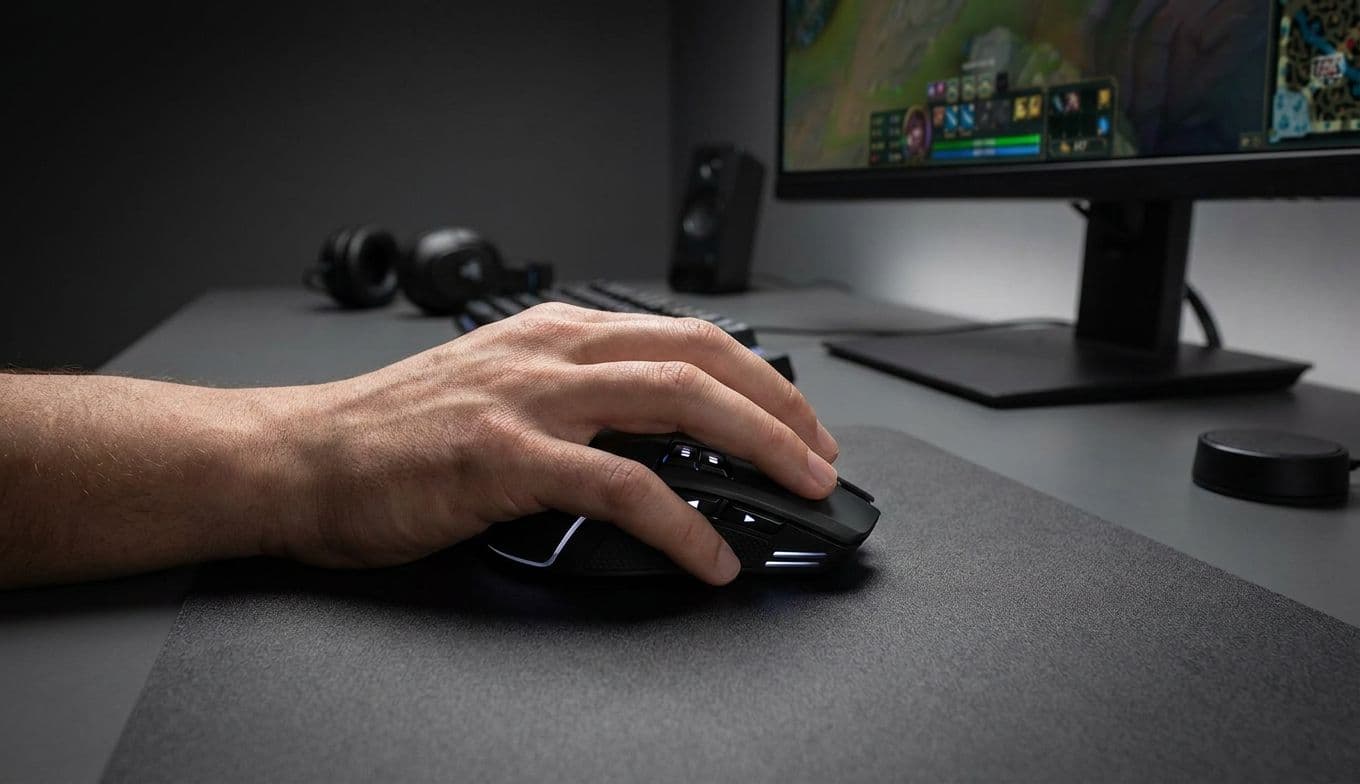
The MC7 is a wireless gaming mouse that features a 2.25-inch touch display integrated into its side. Turtle Beach is pitching this as a "Stream Deck for your mouse," offering customizable controls for macros, apps, and OBS. On paper, it sounds ambitious, even visionary. In practice, it feels like a recipe for unintended consequences.
A WARNING FOR GIFT-SHOPPERS: DON’T BE FOOLED BY THE COOL FACTOR
If you are currently browsing for a gift for the gamer or content creator in your life, the MC7 might look like the ultimate win. It’s expensive, it’s wireless, and it has a screen—three things that usually signal a "premium" product. You might think you’re buying them the cutting-edge tool that will give them an edge in their favorite game or make their twitch stream run smoother.

However, this is a classic case where "more technology" does not equal "better performance." For a competitive gamer, consistency is everything. A touchscreen is inherently less reliable than a physical button because it provides no tactile feedback and is incredibly sensitive to the slightest brush of a finger.
By giving a gamer a touchscreen where their thumb is supposed to grip the mouse, you might be gifting them a series of accidental "rage-quits." Imagine them being in the middle of a high-stakes match, only to accidentally trigger a scene change in OBS or launch a calculator app because they squeezed their mouse a little too hard during a tense moment. If you want to impress them, look for precision and reliability, not just a flashy screen.
THE CRITICAL IMPORTANCE OF MUSCLE MEMORY
The biggest hurdle for the MC7 isn’t just the price tag; it’s the way human beings actually play games. High-level gaming relies almost entirely on muscle memory. When you’re in the zone, you aren't looking at your hands. You are looking at the screen, and your fingers are reacting to stimuli based on the physical "feel" of your equipment.
You know exactly where a physical button is because your skin feels the edge of the plastic and the resistance of the spring. When you press it, you feel a distinct "click" that confirms the action has been sent. This loop of physical feedback allows gamers to perform hundreds of actions per minute without ever glancing down.
A touchscreen destroys this loop. A flat piece of glass feels the same whether you’re touching the "Start Stream" button or the "Macro 1" button. There is no way to orient your thumb by touch alone. To use the MC7’s screen effectively, a user would likely have to look away from their monitor and down at their hand—a cardinal sin in any fast-paced game. In a world where 100 milliseconds can be the difference between winning and losing, a peripheral that requires visual confirmation is a liability, not an asset.
BETTER WAYS TO SPEND $160
If the idea of having more control at your fingertips is still appealing—and it should be—there are far better ways to achieve it without sacrificing ergonomics. You don't need a touchscreen to be a power user; you just need the right layout.
For the pure gamers, look at the legends of the industry. The Logitech G502 series has remained one of the most popular mice in history for a reason: it’s covered in buttons, but every single one of them is physically distinct and placed with ergonomic intent. You can feel every input. If you need even more options, the Razer Naga series offers a literal 12-button keypad on the side of the mouse. These are physical, mechanical buttons that provide the "click" your brain needs to confirm an action. You can learn those layouts by touch in a week and never look at your hand again.
For the content creators who want that "Stream Deck" functionality, the answer is simple: buy a dedicated Elgato Stream Deck. It sits on your desk, stays out of the way of your primary clicking finger, and features 15 physical keys that are actually tiny LCD screens. You get the visual customization of a screen with the tactile reliability of a button. It is a far superior workflow for managing OBS, launching apps, or controlling music than trying to cram those features onto the side of a moving mouse.
SAVE YOUR $160 FOR SOMETHING TACTILE
Innovation is the lifeblood of the tech industry, and I genuinely appreciate Turtle Beach’s willingness to try something bold. The Command Series MC7 is a conversation starter, and it certainly looks like it belongs in a sci-fi movie. But being "cool" and being "useful" are two very different things.
A mouse is a tool of precision. It is an extension of your hand. When you add a sensitive, flat touchscreen to a device that requires a firm grip and constant movement, you’re introducing a level of unpredictability that most users simply won’t want to deal with. The $160 price tag only makes the pill harder to swallow, especially when you can buy a top-tier gaming mouse and a separate macro pad for roughly the same price.
The most elegant solutions are usually the ones that respect the way we naturally move and interact with our tools. My advice? Skip the touchscreen gimmick. Your thumb, your muscle memory, and your sanity will thank you for sticking with the satisfying, reliable click of a real button.