Touchscreen MacBook Details & Apple Event Expectations | CNET

Touchscreen MacBook Details & Apple Event Expectations | CNET

Team GimmieTeam Gimmie
Published on February 27, 2026

The Forbidden MacBook: Should You Wait for the Touchscreen Revolution?

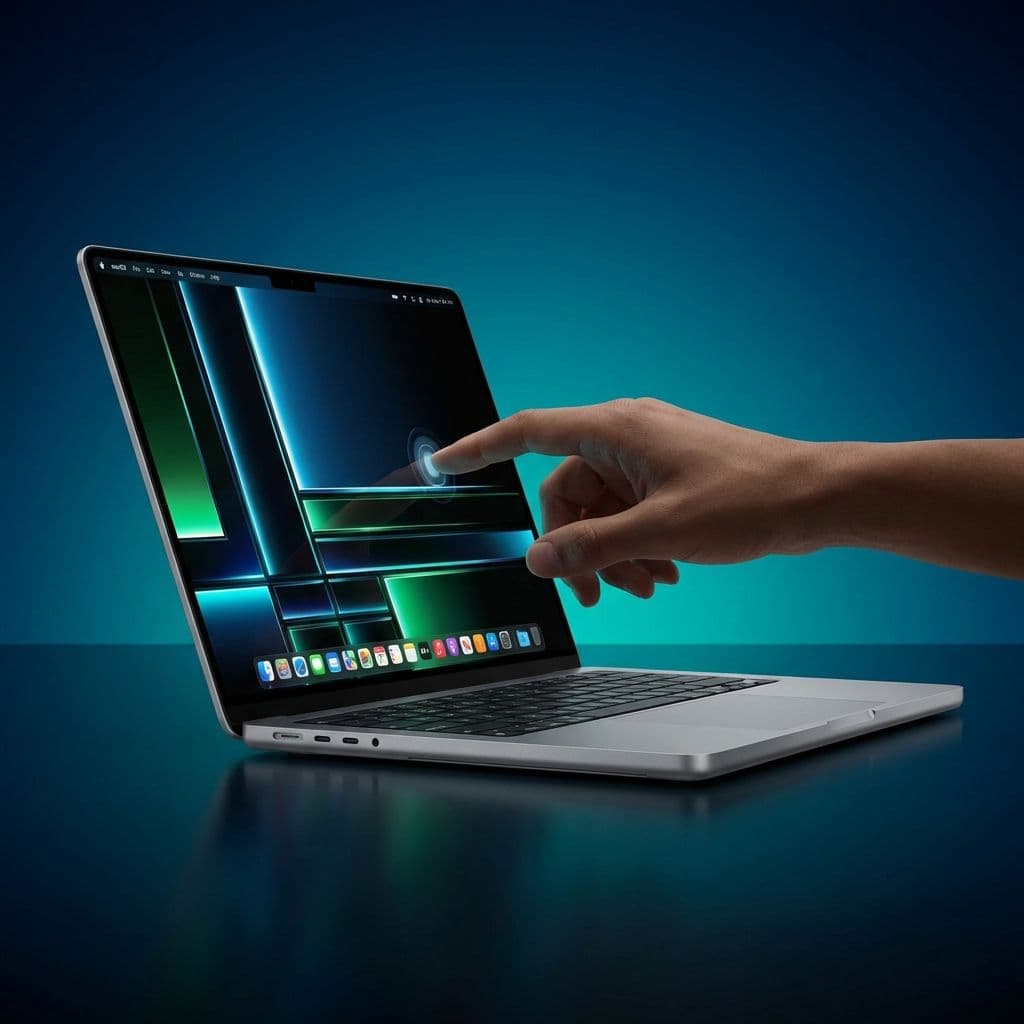
For years, the idea of a touchscreen MacBook was the ultimate tech heresy. Steve Jobs famously called them ergonomically terrible, and Apple executives have spent a decade telling us that if we want to touch a screen, we should buy an iPad. But the winds are shifting. Reliable reports now suggest that Apple is finally working on a touchscreen MacBook Pro, potentially featuring a gorgeous OLED display.

This news puts every potential laptop buyer in a difficult spot. Do you buy the incredibly capable M3 or M4 models available today, or do you hold out for a device that could fundamentally change how you interact with macOS? Let’s break down the rumors, the reality, and the strategy you should use for your next upgrade.

The Multi-Touch Pivot: Why Apple Changed Its Mind

The resistance to a touch-enabled Mac wasn't just corporate stubbornness; it was about the interface. macOS was built for the precision of a cursor. Close buttons are tiny, menus are dense, and the hover state is a core part of the experience. On the flip side, iPadOS was built for fingers, which is why it often feels limited for power users.

So, why change now? The answer lies in the hardware. Apple is moving toward OLED technology across its entire high-end lineup. These screens are thinner and more efficient, making it easier to integrate a touch layer without adding bulk. Furthermore, the lines between Mac and iPad software have blurred. With Catalyst and Silicon chips, your Mac can already run many iPhone and iPad apps. Adding a touch interface is less about replacing the mouse and more about giving those apps the input method they were designed for.

The Wait or Buy Decision Matrix

Buying a MacBook is a significant investment. With a major hardware shift on the horizon, the timing of your purchase matters more than ever. Here is how to decide whether to pull the trigger now or wait for the touchscreen era.

Scenario A: The Power Professional or Creative Pro If your daily life involves high-end video editing, 3D rendering, or complex coding, you need the thermal headroom of a MacBook Pro today. While a touchscreen is nice for scrubbing a timeline, it isn't a replacement for the keyboard shortcuts and precision tracking you currently use. The Verdict: Buy now. The current M3 and M4 Pro/Max chips are monsters, and you shouldn’t stall your productivity for a first-generation touch feature that may carry an early-adopter tax.

Scenario B: The Student or General Consumer If you are looking for a reliable machine for the next four to five years of school or office work, the touchscreen adds a layer of versatility that is hard to ignore. Imagine scrolling through long PDFs or signing documents directly on the screen without a clunky trackpad signature. The Verdict: Wait. If your current laptop can limp through another six to nine months, the touchscreen model will likely be the biggest design refresh in years.

Scenario C: The Budget-Conscious Shopper Apple’s first foray into new tech is never cheap. A touchscreen MacBook Pro with an OLED screen will almost certainly carry a price premium—likely $200 to $300 more than the current entry-level Pro models. The Verdict: Buy now. You can often find current M3 MacBook Airs on sale. These are the best value-for-money laptops on the planet right now, and the "old" tech is still years ahead of the competition.

Who Is This Actually For?

The touchscreen Mac isn't just a gimmick; it’s a bridge.

Digital artists who find the iPad Pro too restrictive for full-scale desktop apps like the full version of Adobe Premiere or heavy-duty CAD software will find this to be a dream machine. It allows for quick touch-ups and navigation without switching devices.

Enterprise users will also benefit. In a world of hybrid work and constant Zoom calls, being able to quickly tap an on-screen mute button or navigate a presentation with a finger is more natural than hunting for a cursor. However, we have to address the "Gorilla Arm" problem. Holding your arm up to a vertical screen for long periods is exhausting. This device will likely be used for supplemental touch—scrolling, tapping buttons, and quick annotations—rather than as a primary input method.

The Spring Event: Better Bets for Gift-Giving

While the touchscreen MacBook is the long-term play, Apple’s upcoming "Big Event" is where the immediate action is for gift-givers. If you’re planning for a graduation gift or a spring birthday, here is what to look for:

The iPad Air Refresh: This remains the "sweet spot" gift. It offers 90% of the Pro’s power for a much lower price. Rumors suggest a larger 12.9-inch model is coming, which would be perfect for students who need more screen real estate but don't want to pay $1,100 for a Pro.

The iPad Pro with OLED: If you are buying for a serious creative, the new OLED iPad Pro will be the gold standard for displays. It’s a safer bet for artists than waiting for a touchscreen MacBook because the Apple Pencil integration is already perfected on the iPad.

New Accessories: Keep an eye out for a refreshed Magic Keyboard and Apple Pencil. These smaller items make excellent gifts for someone who already has an iPad but wants to upgrade their workflow.

The Expert Perspective: Is Touch Worth the Premium?

As an editorial team, we’ve used every iteration of the "touchscreen laptop" from the Windows world—from the Surface Pro to the Dell XPS. The consensus? Touch is a "nice-to-have" until the software supports it.

If Apple simply slaps a touch layer on the current version of macOS, you will likely find it frustrating. The buttons are too small, and the OS doesn't have the "bouncy" physics that makes touch feel good. However, Apple rarely does things halfway. If they are bringing touch to the Mac, expect a significant update to macOS that makes the interface more "finger-friendly" without losing the power features we love.

Unless you are a tech enthusiast who always needs the latest and greatest, the current MacBook Air and Pro models are so good that it’s hard to justify waiting for a feature that might actually make the screen more prone to fingerprints and glare.

Final Recommendation

If you need a new computer today, do not let rumors of a future touchscreen stop you. The current M-series MacBooks are the best laptops Apple has ever made. They are fast, silent, and have battery life that lasts for days.

But if you are someone who finds yourself constantly reaching out to touch your laptop screen because you’re so used to your iPhone—or if you’re a creative who wants to bridge the gap between an iPad and a Mac—then hold onto your wallet. The most significant shift in the history of the Mac is just around the corner, and it might just be worth the wait.