Switch from iPhone to Android: The Ultimate 2026 Guide
Team GimmieCONGRATULATIONS ON THE UPGRADE: THE STRESS-FREE GUIDE TO JOINING THE ANDROID FAMILY
There is nothing quite like that crisp, new-phone smell—the satisfying peel of the screen protector, the weight of a fresh piece of hardware in your hand, and the promise of a faster, smarter digital companion. Whether you treated yourself or unboxed this gift from someone special, getting a new phone should be a celebration. But for long-time iPhone users, that excitement is often shadowed by a nagging bit of "tech anxiety." You are likely wondering: What about my photos? Will my group chats survive? Is my digital life going to vanish into the cloud?
Take a deep breath. It is March 2026, and the digital walls between ecosystems have never been thinner. The "walled garden" finally has a wide-open gate. Thanks to the universal adoption of USB-C across both hardware worlds and smarter migration tools, moving your life from iOS to Android is no longer a weekend-long chore. It is a quick, streamlined process that ensures your memories, contacts, and apps arrive safely at their new home.
Consider this your friendly roadmap. We are going to move you through the transition with zero data loss and maximum excitement.
THE HARDWARE HANDSHAKE: THE POWER OF USB-C
Remember the days of hunting for specific dongles and proprietary adapters? In 2026, those days are firmly in the rearview mirror. Since both your old iPhone (assuming it is a model 15 or newer) and your shiny new Android device use the same USB-C standard, the physical part of this move is incredibly simple.
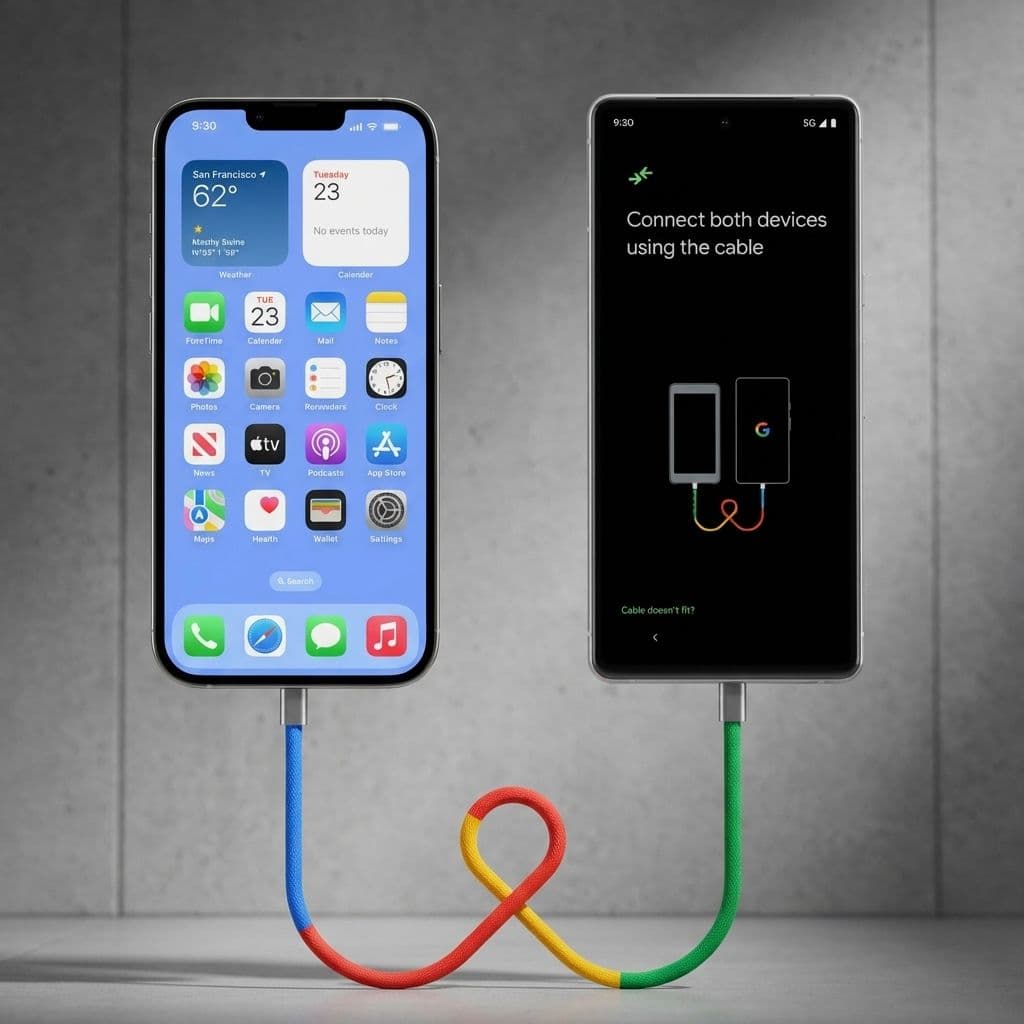
The best way to transfer your data is through a direct cable connection. When you first power on your new Android device, it will ask you if you want to copy data from an existing phone. This is your cue. Use a high-quality USB-C to USB-C cable—the one that came in your new phone box is perfect—and plug both devices together.
This "wired handshake" is significantly faster and more reliable than a wireless transfer. It allows for a massive "data pipe" to move everything from your call history to your saved Wi-Fi passwords in a matter of minutes. Just make sure both phones are charged to at least 80 percent before you start; the transfer can be a bit of a power-user move for the batteries.

SAFEGUARDING YOUR MEMORIES: THE PHOTO VAULT
Let’s talk about the most important thing on your phone: your photos. For most of us, our phones are essentially time machines filled with kids’ first steps, travel adventures, and thousands of screenshots we promise to look at later. The fear of losing these is the number one reason people hesitate to switch.
Rest assured, your memories are safe. When you use the Switch to Android app or the built-in manufacturer transfer tools, your entire photo library is moved over. However, the real secret to a smooth transition is Google Photos.
If you have been using iCloud, we recommend downloading the Google Photos app on your iPhone a day before you make the switch. Let it sync your library to the cloud. Once you sign into your new Android phone with your Google account, your entire library will be there, waiting for you, organized and searchable by faces, locations, and even objects. It is not just about moving files; it is about ensuring that twenty years from now, those 2024 vacation photos are still just a tap away.
THE PRO-TIP: THE "MANUAL" MOVES FOR WHATSAPP AND BANKING
While the automated tools are brilliant, they aren't magic. There are two specific areas where you need to take a manual "pro-active" step to ensure you don't lose access to your data: encrypted messaging and high-security apps.
First, WhatsApp. While the transfer tool moves the app, your chat history often requires an extra nudge. Before you plug in the cable, go to WhatsApp Settings on your iPhone, select Chats, and then "Move Chats to Android." This prepares the encrypted database for the move so your group chats don't start from scratch.
Second, your Banking and Digital Wallet apps. For security reasons, banking apps do not "transfer" their login states. You will need to re-authenticate each one. Pro-tip: Make sure you know your banking passwords or have your physical debit card nearby before you wipe your old iPhone. Many banks will send a verification code to your "old" device or require a physical card scan to authorize a new hardware ID. Doing this while both phones are still active on your desk will save you a frustrating trip to a local branch.
THE CLEAN BREAK: SAYING GOODBYE TO IMESSAGE
This is the most critical technical step to ensure you don't "vanish" from your friends' perspectives. If you don't de-register iMessage, Apple’s servers will keep trying to deliver texts to your old iPhone, meaning you’ll never see them on your new Android.
Before you take the SIM card out of your iPhone, go to Settings, then Messages, and toggle iMessage to OFF. Do the same for FaceTime in the settings menu. This tells the global messaging system: "I’m moving to a new house, please send my mail to my phone number, not my Apple ID."
Once this is done, you can pop the SIM tray or activate your eSIM on the Android device. Your friends will still see your texts, and in 2026, with the widespread adoption of RCS (Rich Communication Services) on iPhones, your "blue bubble" friends can still see your typing indicators and high-res photos. The "green bubble" stigma is officially a thing of the past.
THREE THINGS TO TRY FIRST ON YOUR NEW ANDROID
You’ve done it. The data is moved, the apps are logged in, and your photos are safe. Now, it is time to have some fun. Here are the first three things you should do to truly appreciate your new ecosystem:
-
Customize Your Home Screen Beyond the Grid: Unlike your old iPhone, Android allows you to place icons anywhere and use "Widgets" that are actually interactive. Try placing a calendar widget that shows your whole month or a Spotify widget that lets you skip tracks without opening the app. Make the phone look like YOU, not like a standard template.
-
Explore the Pro Camera Settings: Most modern Android flagship phones offer a level of camera control that will make your old iPhone feel like a point-and-shoot. Open the camera app, head to the More section, and try "Pro Mode" or "Night Sight." Experiment with the zoom—Android hardware often leads the pack in long-range photography.
-
Meet Your AI Assistant: It is 2026, and your phone is smarter than ever. Whether you are using Google’s Gemini or a manufacturer-specific AI, try asking it to "Summarize my unread emails" or "Find that photo of the blue car I took last week." The integration between the OS and the AI is where you will feel the biggest "leap forward" in your daily life.
Switching phones used to feel like moving to a new country where you didn't speak the language. Today, it is more like moving into a bigger, better house in the same neighborhood. Welcome to the other side—we think you’re going to love it here.