Stop Scam Calls: iPhone & Pixel Call Screening Guide
Team GimmieTaking Back Your Inbox: The Strategic Guide to Ending Scam Call Anxiety
It is 2:00 PM, you are finally in the flow of a deep-work project, and your phone buzzes on the desk. Your heart skips a beat. Is it the doctor calling with those test results? Is it the school? The contractor you have been trying to reach for three weeks? You pick it up, only to see those two dreaded words: Scam Likely.
Your focus is shattered, and your blood pressure is up. It is a modern tax on our attention that we never agreed to pay. For years, the advice has been to just ignore it, but as scammers get more sophisticated with local number spoofing, ignoring the phone has become a source of genuine anxiety. We are caught in a loop of digital harassment, but the solution is not just about being more disciplined—it is about being more tactical with your hardware.
The Nuclear Option: Silence Unknown Callers
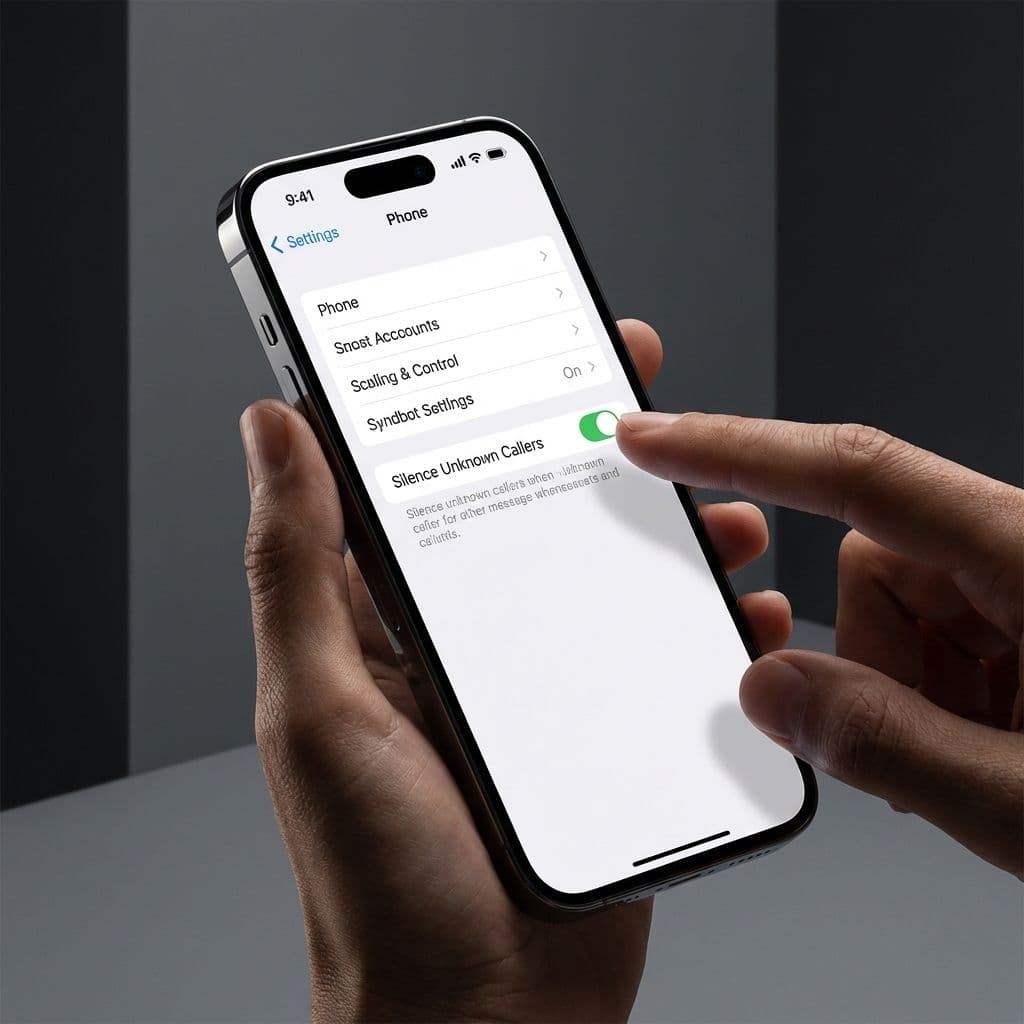
If you use an iPhone, you have likely heard of the Silence Unknown Callers feature. It is the closest thing we have to a "nuclear option" for privacy. When toggled on, your phone simply will not ring if the incoming number is not in your contacts, your recent outgoing calls, or Siri Suggestions. The call goes straight to voicemail, and you get a silent notification.
On the surface, it sounds like paradise. In practice, it creates what I call the Anxiety Gap. This is the nagging fear that because you have silenced the world, you are going to miss the call that actually matters. Maybe it is the delivery driver trying to find your gate, or a specialist calling from a hospital switchboard that shows up as an unknown number.
To use this feature without losing your mind, you have to stop treating your contact list as a personal directory and start treating it as a VIP whitelist. If you are expecting a call from a business, ask them specifically what number will show up on your caller ID and save it immediately. It feels like an extra step, but it is the only way to ensure the hammer of the Silence feature doesn’t hit the wrong nail.
The Elegant Alternative: Why the Google Pixel is the Ultimate Privacy Gift
If you find the iPhone’s approach a bit too blunt, there is a reason the Google Pixel has become the darling of the privacy-conscious tech crowd. While Apple offers a mute button, Google offers a digital receptionist.

The Google Pixel’s Call Screen feature is, quite frankly, the gold standard of consumer privacy tech. When a call comes in from an unknown number, you can tap a button to have Google Assistant answer the call for you in real-time. You see a live transcript of what the caller is saying before you ever lift a finger to speak.
If it is a scammer, they usually hang up the moment they realize they are talking to an AI. If it is your pharmacy letting you know a prescription is ready, you can see that on your screen and pick up mid-sentence. For anyone on your gift list who constantly complains about phone harassment—perhaps a parent who is vulnerable to phone-based phishing or a small business owner who can't afford to silence all unknown calls—a Pixel 8 or 9 is more than just a phone upgrade. It is a gift of peace of mind. It transforms the phone from a source of stress back into a tool of convenience.
Bridging the Anxiety Gap: Your Tactical Setup
Whether you are sticking with your current device or upgrading to something more robust, you can manage the "silence" effectively by setting up a few safety nets. You don't have to choose between total silence and total vulnerability.
First, embrace the Emergency Bypass. For your inner circle—spouse, children, parents—go into their contact card, hit Edit, select Ringtone, and toggle on Emergency Bypass. This ensures that even if your phone is on silent, Do Not Disturb, or if you are using aggressive filtering, their calls will always ring through.
Second, utilize Siri Intelligence. On iOS, the Silence Unknown Callers feature isn't just looking at your contacts; it looks at numbers found in your emails and text messages. If you have a confirmation email from a dentist with their office number in the signature, Siri is often smart enough to let that call through. The lesson here? Keep your inbox clean and your calendar updated. The more your phone "knows" about your upcoming appointments, the better it can filter your life.
The Aggressive Privacy Checklist
To move from being a victim of scam calls to an empowered user, follow this quick-start guide to harden your digital perimeter:
-
Audit Your VIPs: Spend ten minutes going through your "Favorites" list. Ensure every person you would want to hear from in an emergency has Emergency Bypass turned on.
-
Sync Your Ecosystem: Ensure your work email contacts are synced to your phone. If a client calls from an office line, you want that number recognized so it doesn't get sent to the voicemail abyss.
-
The 60-Second Whitelist: When you make an appointment—whether it is the vet or a hair stylist—take one minute to save their number. This is the single most effective way to make "Silence Unknown Callers" a viable daily strategy.
-
Check Your Voicemail Transcription: Ensure your carrier supports visual voicemail. If a legitimate call does get caught in your filter, you want to be able to read the transcript in seconds rather than calling in and listening to a five-minute menu.
Reclaiming Your Time
We have been conditioned to feel like we owe the phone an answer just because it is ringing. We don't. Your smartphone is a tool that should serve you, not a leash that allows anyone in the world to pull on your attention for the price of a lead-generation list.
By moving away from a passive "ignore it" strategy toward an aggressive privacy management stance, you aren't just stopping annoying calls. You are protecting your focus and reducing the low-level background radiation of stress that scam calls provide. Whether you use the blunt force of Apple's settings or the sophisticated AI screening of a Google Pixel, remember: you are the gatekeeper of your own time. It is time to start acting like it.