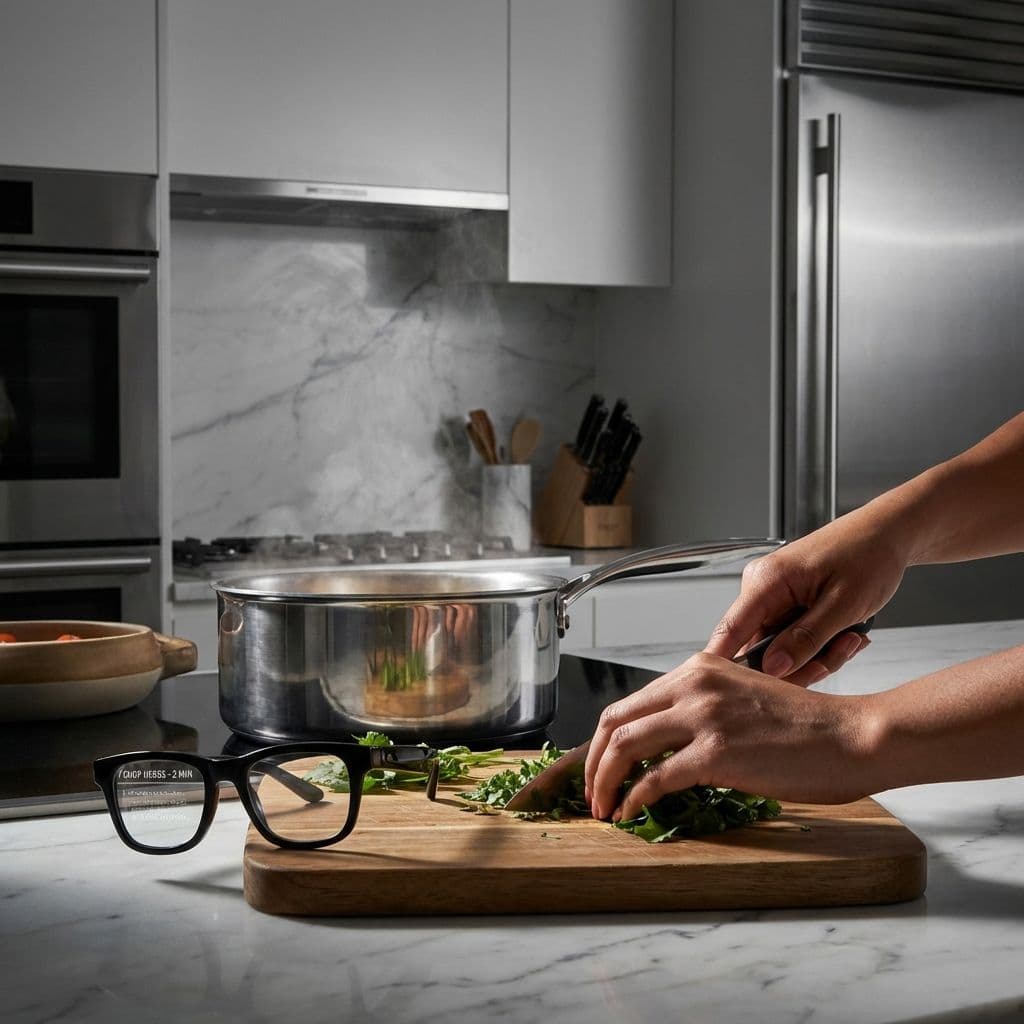
Cooking With Smart Glasses: A Hands-On Kitchen Test
Team GimmieThe Kitchen Assistant You Wear: Why Smart Glasses are the Ultimate Hands-Free Lifestyle Hack
We have all been there. You are knee-deep in a recipe, your hands are covered in a mixture of flour, raw egg, and breadcrumbs, and suddenly you realize you have no idea if the oven should be at 375 or 400 degrees. Your phone is sitting on the counter, its screen gone dark, and your tablet is three feet away. To get the answer, you have to wash your hands, dry them thoroughly so the touchscreen actually works, check the recipe, and then dive back into the mess.
It is a small friction point, but over the course of a meal, those moments add up. That is why I decided to trade my traditional cookbook and smart display for a pair of smart glasses. What started as a tech experiment quickly shifted into a lifestyle revelation. Smart glasses are not just for recording POV videos or taking calls; in the kitchen, they represent the ultimate hygiene and efficiency upgrade.
The End of the Sticky Screen: Quantifying the Messy Hands Factor
The biggest selling point of wearable tech in the kitchen is the preservation of your hardware and your sanity. During a standard 45-minute session making a multi-step lemon herb chicken, I tracked my movement. Normally, a recipe like this requires me to interact with my phone or tablet at least a dozen times—scrolling for the next step, checking a conversion, or resetting a timer.
By using voice commands through smart glasses, I saved exactly nine trips to the sink. That is nine times I did not have to scrub my hands, dry them, and navigate a digital interface with wet fingertips. In a world where we are increasingly conscious of cross-contamination—especially when handling raw poultry—the ability to keep your hands on the food and your eyes on the prep is a massive win. You are not just saving time; you are maintaining a cleaner, safer workspace.
Friction vs. Flow: The Reality of the Setup
One of the most common critiques of smart home tech is that the setup often takes longer than the task itself. If you have to spend ten minutes syncing a recipe to your glasses just to boil pasta, you are going to go back to the paper cookbook every time.

The prep friction here is real but manageable. Currently, you cannot just glance at a random blog post and have it magically appear in your field of vision. You usually have to send the link to a specific app or use a voice assistant to read the instructions. However, once that bridge is crossed, the flow is unmatched.
Compared to a smart display like an Echo Show or a Google Nest Hub, the glasses offer a much tighter feedback loop. With a smart display, you are still tethered to a specific corner of the kitchen. If you move to the fridge or the sink, you are shouting across the room and squinting at a screen. With the glasses, the information travels with you.
As for the physical experience, I was worried about the weight. Wearing tech on your face for an hour while leaning over a steaming pot sounds like a recipe for a headache. Surprisingly, most modern smart frames are balanced well enough that they do not feel significantly heavier than a standard pair of Wayfarers. During my test, the battery dropped about 18 percent over 50 minutes of active use—plenty of juice for a full dinner prep, though you will definitely want to drop them back in their charging case before sitting down to eat.
Eyes on the Knife: Audio vs. Visual Reality
There is a common misconception that smart glasses provide a full Iron Man-style heads-up display (HUD) where text floats in mid-air. While some high-end AR glasses do this, most consumer-friendly smart frames, like the Meta Ray-Bans, rely heavily on high-quality directional audio.
I found the audio-first approach actually safer for cooking. When you are using a sharp chef’s knife, the last thing you want is a digital notification blocking your view of your fingers. The smart glasses act like a tiny, private sous chef whispering in your ear. I could ask, Hey, how many tablespoons are in a quarter cup? and get an immediate answer without ever looking away from my dicing.
It is a truly eyes-up experience. Unlike a phone, which demands your full visual attention, the glasses allow you to stay present in the physical act of cooking. You are less likely to burn the garlic when you are not distracted by a bright screen three feet away.
The Gift Persona: Who is This For?
If you are considering smart glasses as a gift, they fit a very specific type of person. They are not for the casual microwave user, but they are a game-changer for two specific groups:
The Gadget-Obsessed Sous Chef: This is the person who already has the sous-vide machine, the smart oven, and three different types of air fryers. They love optimizing their workflow and will appreciate the seamless integration of voice-controlled timers and conversions.
The Multi-Tasking Meal Prepper: If you know someone who spends their Sunday afternoon prepping six meals at once while listening to podcasts or catching up on work calls, these are a dream. They can manage their kitchen timers and their media consumption entirely hands-free, making a three-hour prep session feel significantly less like a chore.
The Bottom Line
Are smart glasses a necessity for every home cook? Not yet. The price point is still high, and there is a learning curve to mastering voice commands while a vent hood is roaring in the background.
However, as a lifestyle solution, they solve a genuine problem that has plagued cooks since the dawn of the digital age: the conflict between messy hands and expensive electronics. If you value hygiene, efficiency, and the ability to stay focused on the craft of cooking without the digital distraction of a screen, smart glasses are the most functional kitchen tool you didn't know you needed. They turn the kitchen from a place of constant stop-and-start into a streamlined, hands-free environment. Just remember to take them off before you start the dishes—waterproof and water-resistant are two very different things.