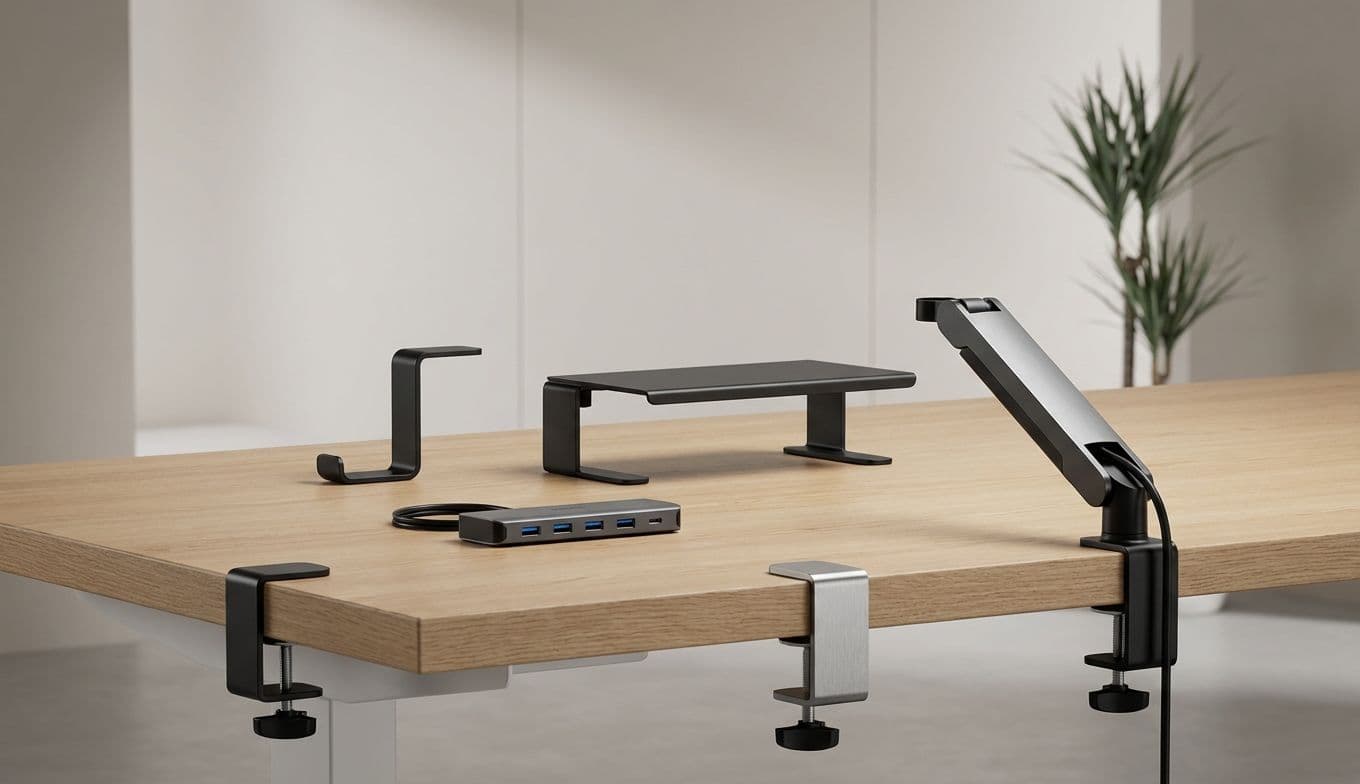
Clamp-On Desk Accessories: Maximize Your Workspace
Team GimmieWHY YOU SHOULD BE MOUNTING EVERYTHING TO YOUR DESK (EXCEPT MAYBE YOUR KEYBOARD)
Your desk is a finite resource, yet we often treat it like an infinite dumping ground. It starts with a laptop and a coffee mug. Then comes the second monitor, the external hard drive, the phone charger, the headset, and suddenly, the flat surface you bought for productivity has become a cramped island of clutter where your mouse barely has room to breathe.
We have been conditioned to think of desks as 2D surfaces. We lay things on top of them until the surface area is gone. But the secret to a truly functional, high-performance workspace isn't a bigger desk—it's a 3D mindset. It’s time to stop letting your accessories sit on your desk and start clamping them to the edges. By utilizing the vertical and peripheral space, you don’t just organize your desk; you reclaim it.
THE ESSENTIAL CLAMP-ON GEAR: PRODUCT DEEP DIVES
If you are ready to embrace the clamp, you shouldn’t just buy the first plastic bracket you see on a discount site. Sturdiness matters when your expensive gear is on the line. After testing a wide range of mounting solutions, these are the standout pieces that actually earn their keep.
The Gold Standard: Ergotron LX Monitor Arm Most monitors come with a bulky plastic base that eats up a massive footprint. The Ergotron LX replaces that footprint with a single, high-grade aluminum clamp. It allows you to suspend your screen in mid-air, giving you back the entire area underneath for your notebook, tablet, or just some much-needed breathing room. It’s an investment, but its fluid motion and industrial-strength grip make it the last monitor arm you’ll ever need to buy.
The Power Hub: Anker 351 Clamp-On Power Strip Crawling under your desk to plug in a charger is a relic of the past. The Anker 351 (or its specialized clamp-on variants) brings three AC outlets and multiple USB-C ports directly to the edge of your desk. It uses a heavy-duty screw clamp that stays rock-solid, even when you are yanking out a stubborn plug. It keeps the "cable snake" hidden behind the desk while giving you "gas station" convenience for your mobile devices.
The Audio Anchor: Brainwavz Clamp-On Headset Holder While ElevationLab’s popular "The Anchor" is a fantastic adhesive option for under-desk storage, if you want something you can move without leaving sticky residue, the Brainwavz Hengja is the way to go. It’s an all-metal, adjustable clamp that can fit on the side of your desk or even a shelf. It keeps your expensive noise-canceling headphones off the surface and away from coffee spills.

THE SAFETY CATCH: BEFORE YOU CLAMP, CHECK YOUR DESK
Before you go on a mounting spree, we need to talk about physics. Not every desk is built to handle the concentrated pressure of a heavy-duty clamp.
The Hollow-Core Trap: If you have a budget-friendly desk from a big-box retailer—specifically the IKEA Lack or Linnmon series—be extremely careful. These desks are often "hollow-core," meaning the inside is a honeycomb of cardboard sandwiched between thin layers of fiberboard. If you tighten a high-torque monitor arm or a heavy shelf clamp onto these, you risk the clamp literally crushing through the desk surface like a soda can. For these desks, use a "clamp reinforcement plate" (a wide metal plate that spreads the pressure) to prevent a structural disaster.
The Tempered Glass Warning: Clamping a heavy monitor arm to a tempered glass desk is a recipe for a very expensive explosion. Glass is incredibly strong under even pressure, but a metal screw-clamp creates a "point load" that can cause the entire sheet to shatter into a thousand pieces. If your desk is glass, stick to adhesive mounts or free-standing organizers.
THE STARTER KITS: WHO NEEDS THIS INTERVENTION?
If you are looking to upgrade your own space or buying a gift for someone else, these "clamp-on starter kits" are the perfect way to begin the transformation.
The First-Time Remote Worker Kit: Focus on the essentials: a sturdy monitor arm like the Amazon Basics Single Monitor Stand and an Anker Clamp-on Power Strip. This combination immediately transforms a kitchen table or a small corner desk into a professional-grade workstation by clearing the deck of power bricks and bulky monitor bases.
The Dorm Room Power User: In a tiny dorm, every square inch is gold. The kit here includes a clamp-on bedside shelf (like the BedShelfie) for your phone and water, paired with a Brainwavz Headphone Clamp. These allow students to maximize their limited desk space for textbooks and laptops without losing their essentials to the floor.
The Creative Professional: For designers and editors, the VIVO Clamp-on Desk Tray is a game-changer. It adds a secondary tier to your desk for your audio interface, Wacom tablet, or reference books. Combine this with a clamp-on LED task lamp to keep your workspace bright without the base of the lamp taking up your drawing area.
TAMING THE TANGLE: CABLE MANAGEMENT INTEGRATION
Clamping your gear is only half the battle. If you mount a power strip and a monitor arm but leave the wires dangling, you’ve just traded horizontal clutter for vertical chaos.
The most effective way to solve the "snake" problem is to integrate your clamps with cable management sleeves and J-channels. Brands like StarTech offer J-Channel cable raceways that can actually be mounted to the back edge of your desk. When your monitor arm and power strip are clamped nearby, you can tuck all the trailing wires into these channels.
For the wires that must remain visible—like the one going from your laptop to the mounted power strip—use a flexible braided cable sleeve. This bundles three or four messy wires into one clean, aesthetically pleasing tube. When your accessories are clamped and your cables are sleeved, the desk doesn't just look clean; it looks intentional.
THE VERDICT: STOP THE SPRAWL
The shift from a cluttered desk to an organized one is rarely about buying more storage bins. It’s about changing how you view the space you have. By taking your most-used items—your monitor, your power, your headphones, even your coffee—and moving them to the perimeter via clamps, you create a dedicated "work zone" that is free of physical and mental distractions.
Start small. Buy one headphone hook or a single monitor arm. Feel the satisfaction of wiping down a completely clear desk surface at the end of the day. Once you experience the freedom of a three-dimensional workspace, you’ll never want to go back to the 2D struggle again. Your desk is a tool—make sure you have the room to use it.