Apple Podcasts Video Switching: Seamless Audio-to-Video Sync Explained

Apple Podcasts Video Switching: Seamless Audio-to-Video Sync Explained

Team GimmieTeam Gimmie
Published on February 17, 2026

The Moment Your Ears Aren't Enough

We’ve all been there. You’re deep into a gripping true crime episode or a tech deep-dive while walking the dog or commuting. Suddenly, the host lets out a gasp and says, You have to see the look on his face right now, or, Just look at how this data spikes on the chart.

In that moment, audio-only feels like a handicap. You’re left trying to mentally reconstruct a visual that you know you're missing. Usually, this means making a mental note to find the video on YouTube later—a note you almost certainly forget—or fumbling with your phone to switch apps while trying not to trip over a curb.

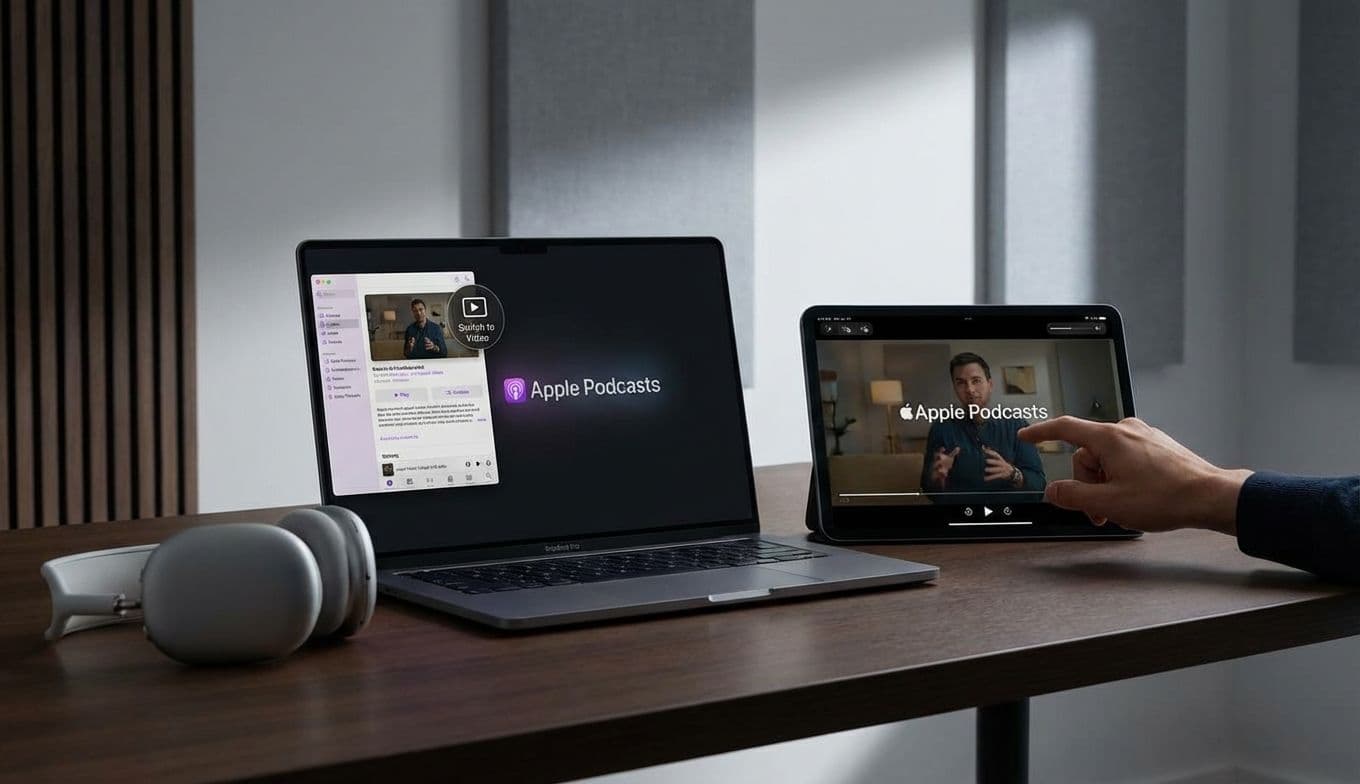
Apple has finally decided to bridge that gap. With a subtle but powerful update to the Podcasts app, the company is introducing a way to flip between the audio feed and the video version of a show without losing your place. It’s a move that recognizes how we actually consume content today: we start as listeners, but sometimes, we need to become viewers.

From Commute to Couch: The Power of the Seamless Flip

The magic behind this update is Apple’s HTTP Live Streaming (HLS) technology. While that sounds like back-end jargon, for the user, it means synchronization. In the past, video podcasts often felt like separate files that lived in a different corner of the library. Now, the app treats audio and video as two sides of the same coin.

If you’re listening to a show in portrait mode on your iPhone and decide you want to see the studio setup or a guest’s reaction, you simply rotate the phone to landscape. The video feed kicks in instantly, perfectly synced to the exact second of the audio you were just hearing.

This isn't just about convenience; it’s about flexibility. The update also allows for full video downloads for offline viewing. This is a massive win for travelers. You can listen to the first half of a podcast while walking through the airport, then switch to the video version once you’re settled into your seat on a plane with no Wi-Fi. It turns the Podcast app from a simple player into a versatile media hub.

The Power User’s Toolkit: Hardware That Makes It Work

If you’re a podcast enthusiast—or if you’re looking for a gift for one—this software update completely changes the hardware conversation. We are moving away from the era of the podcast being a background activity and toward it being an immersive experience. To truly take advantage of this, the device matters.

For the portable power user, the iPad Mini is the undisputed champion. Its 8.3-inch Liquid Retina display is large enough to make video podcasts feel cinematic but small enough to toss into a jacket pocket. It’s the perfect companion for someone who wants to watch their favorite shows during a lunch break or on a train without the bulk of a full-sized laptop.

For those who treat podcasts like a high-fidelity hobby, the iPad Pro with its Ultra Retina XDR display is the way to go. If you’re watching a visually dense show—like a nature podcast or a high-end tech review—the contrast and color accuracy on the Pro make a noticeable difference.

But hardware isn’t just about the screen; it’s about how you hold it. The act of switching to landscape mode is much easier if you aren't actually holding the phone. For a desktop or bedside setup, a MagSafe mount like the Twelve South HoverBar Duo or the Peak Design Mobile Tripod is a game-changer. These allow you to snap your phone into a landscape position instantly, turning your iPhone into a dedicated mini-monitor for your favorite shows.

Must-Watch Shows: Why You Should Flip the Switch

Not every podcast needs a video feed, but for some, the visual component is half the story. If you’re looking to test out this new feature, there are a few creators who are doing video better than anyone else.

Waveform: The MKBHD Podcast is the gold standard here. Since Andrew and Marques are tech reviewers first, they are constantly holding up new gadgets, showing off camera samples, or pointing out specific design flaws. Watching the video feed isn’t just a bonus; it’s often essential to understanding the critique.

The Huberman Lab is another great candidate. Dr. Andrew Huberman often references complex biological structures or data charts. Being able to flip your phone to landscape to see exactly which part of the brain he’s discussing makes the high-level science much more digestible.

For fans of the genre, visual-heavy True Crime shows are also leaning into this format. Seeing the evidence photos or the maps of a crime scene while the narrator describes them adds a layer of immersion that audio alone can’t replicate.

Addressing the Walled Garden and the Data Drain

Of course, no Apple update comes without a few caveats. By making the audio-to-video transition so seamless, Apple is clearly trying to keep users from drifting over to YouTube or Spotify. It’s a classic ecosystem play. For the user, the benefit is a cleaner interface, but the cost is further integration into the Apple "walled garden."

There’s also the practical matter of data. Video files are significantly larger than audio files. If you’re someone who downloads your entire library for the week, you’re going to see your storage fill up much faster. More importantly, if you’re streaming over a cellular connection, switching to video could eat through your data plan in a heartbeat. The app does offer settings to manage this, and we’d recommend keeping video downloads restricted to Wi-Fi unless you have an unlimited plan.

The Hybrid Future of Digital Media

Apple’s move is a clear signal that the definition of a "podcast" has officially evolved. It’s no longer just a radio show you listen to on your own time; it’s a hybrid medium that occupies the space between traditional broadcasting and modern streaming video.

For creators, this puts a new kind of pressure on production. The "radio face" era is over. To stay relevant in the Apple Podcasts ecosystem, creators will need to invest more in lighting, sets, and visual aids. But for us, the consumers, this is nothing but a win. We get more choice, better production value, and the ability to choose exactly how we want to engage with our favorite personalities.

If you’ve been ignoring the video episodes in your feed, now is the time to give them a try. Grab a solid stand, prop up your iPad or iPhone, and see what you’ve been missing. You might find that seeing the conversation is just as important as hearing it.