HHKB Professional Classic Type-S Review: The Ultimate Minimalist Keyboard

Team Gimmie

Team Gimmie

1/14/2026

HHKB Professional Classic Type-S Review: The Ultimate Minimalist Keyboard

The 97 Tacoma of Keyboards: Why the HHKB Professional Classic Type-S is a Niche Icon

There is a specific kind of person who, if they could, would walk onto a car lot today and buy a brand-new 1997 Toyota Tacoma. They don't want a massive touch screen, they don't want lane-assist, and they certainly don't want a heated steering wheel. They want a tool that does exactly one thing perfectly, lasts for thirty years, and feels better the more you use it.

In the world of technology, the Happy Hacking Keyboard (HHKB) Professional Classic Type-S is that Tacoma. It is a product that ignores every modern trend—RGB lighting, dozens of programmable macro keys, and flashy aluminum cases—in favor of a singular, uncompromising vision of what typing should feel like. If you are looking at this keyboard, you are either about to join a very dedicated cult or you are deeply confused why anyone would pay $300 for a small piece of plastic.

The Magic of the Thock: Why Topre Matters

To understand the HHKB, you have to understand Topre switches. Most high-end keyboards use mechanical switches where a plastic stem hits a metal spring. The HHKB uses electrostatic capacitive switches. Instead of a harsh metal-on-metal contact, you are pressing down on a high-quality rubber dome and a sensing spring.

The result is a typing experience that enthusiasts describe as "pillowy" or "smooth." But the real star of the show is the sound. The Type-S model is specifically silenced to produce a deep, muted sound known in the community as the "thock." It is a satisfying, low-frequency acoustic profile that sounds like heavy raindrops hitting a wooden deck. Unlike the high-pitched "clack" of a standard mechanical keyboard, the Type-S thock is polite enough for an office but satisfying enough to keep a writer in the flow for hours.

The "S" in Type-S stands for Silent and Stroke. The key travel is slightly shorter than the standard version, making the action feel faster and more deliberate. For someone who types ten thousand words a week, this isn't just a luxury—it is a way to reduce finger fatigue and turn a chore into a tactile pleasure.

The Layout: A Lesson in Radical Minimalism

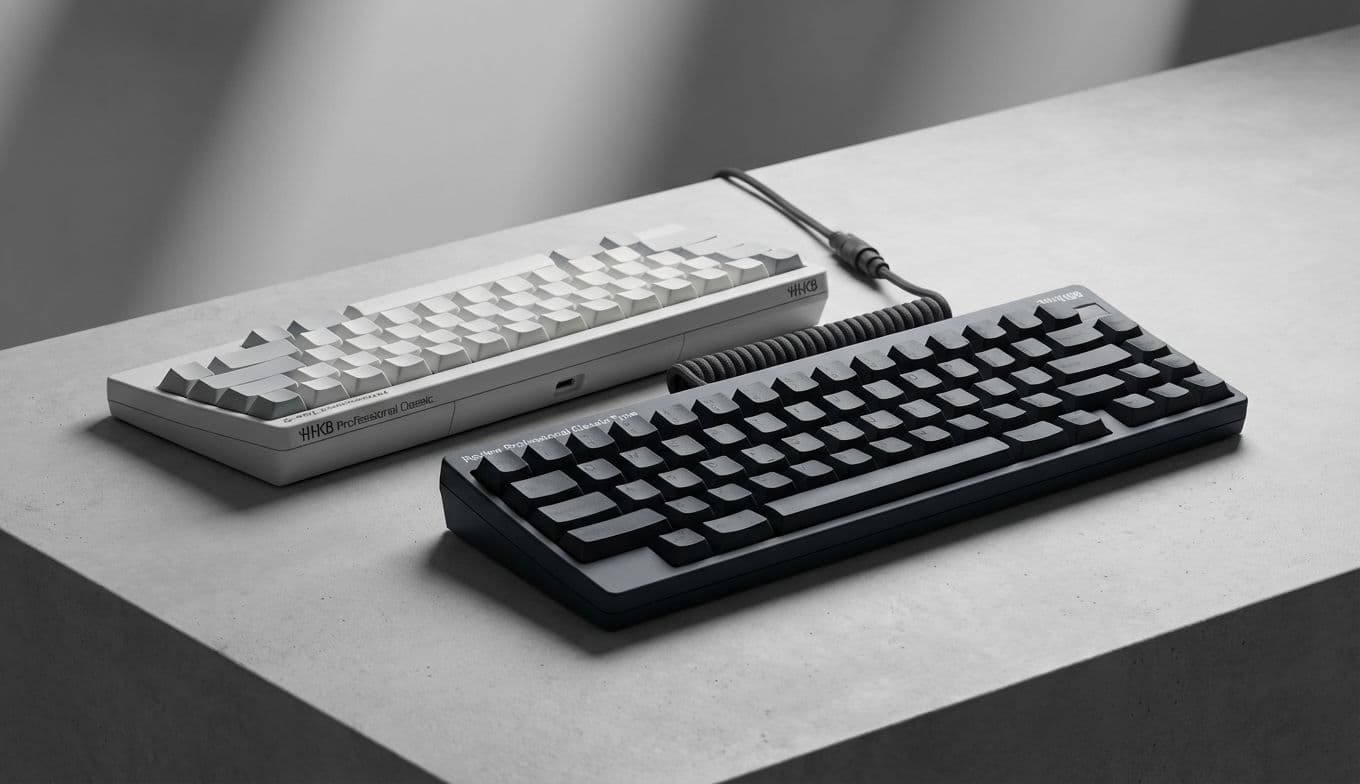
At first glance, the HHKB Professional Classic Type-S looks like it is missing half its parts. There is no row of function keys, no dedicated arrow keys, and—most shockingly—the Caps Lock key has been replaced by the Control key. Even the backspace is tucked down one row from where your brain thinks it should be.

This is the Wada Layout, named after its creator, Professor Eiiti Wada. His philosophy was simple: a keyboard should be like a horse’s saddle. While the horse (the computer) might change, the saddle should be a personal, lifelong tool that fits the rider perfectly.

The layout is designed to keep your hands on the "home row" at all times. By moving the Control key to the Caps Lock position, programmers can hit shortcuts without stretching their pinky into an awkward claw. By moving the backspace down, you reduce the reach needed to fix a typo. It takes about two weeks of frustration to learn, but once the muscle memory sets in, using a standard keyboard feels like driving a bus after years in a sports car.

Wired Classic vs. Wireless Hybrid: Choosing Your Tool

If you are buying this as a gift, you need to pay attention to the name. The model we are discussing here is the Professional Classic. This is a purely wired keyboard that connects via a modern USB-C port. It is the purist’s choice—no batteries to die, no Bluetooth lag to worry about, and a cleaner, more traditional internal build.

However, HHKB also offers the Hybrid model. The Hybrid looks almost identical but features a "battery hump" on the back to hold AA batteries and offers Bluetooth connectivity for up to four devices.

If the person you are buying for works at a single desk with a high-end PC or Mac, go with the Classic. It is sleek, reliable, and more affordable. If they jump between an iPad, a laptop, and a desktop, the Hybrid is the better (though more expensive) bet.

The $300 Question: Is It Worth the Investment?

Let’s be honest: $300 is a lot of money for a keyboard. You can buy a perfectly functional keyboard at a big-box store for $20. So, where does the money go?

It goes into the build quality. The keycaps are made of PBT plastic, a material that is much harder and more durable than the ABS plastic found on cheaper boards. PBT won’t develop that ugly "shine" over years of use; it stays matte and textured. It also goes into the specialized Topre sensors, which are rated for 50 million keystrokes.

This is a professional-grade instrument. Just as a chef might spend hundreds on a single Japanese chef’s knife, a professional writer or coder is investing in the tool they touch for eight hours every single day.

The Gift-Giver’s Checklist: Should You Buy It?

The HHKB Professional Classic Type-S is the ultimate "if you know, you know" gift. To make sure you aren't buying an expensive paperweight, use this checklist.

Buy this if they:

  • Spend 8+ hours a day coding or writing.
  • Value minimalism and a clean, clutter-free desk.
  • Appreciate specialized "pro" gear over flashy consumer brands.
  • Have mentioned they find standard keyboards "loud" or "tiring."
  • Love the aesthetic of classic 90s technology.

Avoid this if they:

  • Are a heavy PC gamer (the lack of dedicated arrow and function keys is a dealbreaker for many games).
  • Love RGB lighting and "gamer" aesthetics.
  • Get easily frustrated by changing their habits (the layout curve is steep).
  • Have very large hands and prefer a full-sized keyboard with a number pad.

Final Verdict

The HHKB Professional Classic Type-S isn't trying to be everything to everyone. It is a specialized, high-performance tool for people who view typing as a craft. It doesn’t have the bells and whistles of a modern peripheral, but it offers a level of tactile satisfaction and ergonomic efficiency that is virtually unmatched.

It is a statement of intent. It says you care about the feel of your work, the sound of your environment, and the longevity of your tools. If you’re ready to embrace the thock and survive the learning curve, you might find it’s the last keyboard you ever need to buy.

#Topre switches#electrostatic capacitive keyboard#Wada layout#silent mechanical keyboard#programmer keyboard#HHKB Hybrid vs Classic